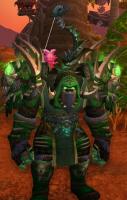
Hi, I am just looking for a working tmorpher, just a morpher or a similar program for mop, but it should be 32 bit, i could give some prize in gold or coins if you help me, it seems hard to find a 32 bit tmorpher.
-
 Member
Tmorph, Just a morpher
-
Member
https://www.youtube.com/watch?v=O0rW7OmKfFg
This works?
-
Member
The file you are trying to download is no longer available.
-
Member
bump bump bump bump bump
-
Member
http://s000.tinyupload.com/?file_id=...58769286626191
Just a Morpher for MoP
Just google the commands.
-
Member
File ID is not correct. File doesn't exist.
-
-
Member
No Available Processes
Failed to get a handle to the process because OpenProcess failed.
-
Member
Sent you a private message.
-
Member
I just tried the link and downloaded it with no problems.
-
Member
I downloaded it with no problems and extracted but the program seems not working i copied you what it said
No Available Processes
Failed to get a handle to the process because OpenProcess failed.
-
Member
First, you have to use the wow.exe for MoP, log in and get in game with your character. Then launch Injector and click load. It'll say in your chat that it is loaded when it is finished, this may take awhile. Give it about 5-10 minutes and it will say Loaded. Then just use the commands. Will add the commands once I figure it out.
/displayid - shows id of target.
/displayid mount - shows id of a mount.
/Morph (item slot) (ID) Ex: /Morph Offhand 32837
Head, Shoulders, Shirt, Chest, etc.
/morph (ID) Ex: /Morph 32837
/morph mount (ID) Ex: /Morph Mount 32837
/morph scale Ex: /Morph Scale 2 (this will adjust your size I believe 2 is the max)
/copy (copies target display id, gear, mount, scale to the player)
/copy focus (same as above but I believe it is for your focus window)
If you just become a checked square just target another player get the ID with /display id then morph yourself to that id and it will fix itself. I don't know why that is happening.
I recommend using WoW head for idsEdited: November 12, 2015
-
Member
It works :)

-
Member
When i press load it says "Failed to get a handle to the process because OpenProcess failed."
-
Member
when you click Injector.exe after opening WoW, what does it say in the drop down menu?

 Quote
Quote