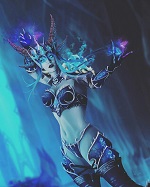
If i download the new models in WOTLK, is there an option to turn off and on the new models in-game?
'); document.write(''); var yuipath = 'clientscript/yui'; var yuicombopath = ''; var remoteyui = false; } else // Load Rest of YUI remotely (where possible) { var yuipath = 'https://ajax.googleapis.com/ajax/libs/yui/2.9.0/build'; var yuicombopath = ''; var remoteyui = true; if (!yuicombopath) { document.write(''); } } var SESSIONURL = ""; var SECURITYTOKEN = "guest"; var IMGDIR_MISC = "warmane/misc"; var IMGDIR_BUTTON = "warmane/buttons"; var vb_disable_ajax = parseInt("0", 10); var SIMPLEVERSION = "422"; var BBURL = "https://forum.warmane.com"; var LOGGEDIN = 0 > 0 ? true : false; var THIS_SCRIPT = "showthread"; var RELPATH = "showthread.php?goto=nextoldest&t=350867"; var PATHS = { forum : "", cms : "", blog : "" }; var AJAXBASEURL = "https://forum.warmane.com/"; var CoTTooltips = { rename: true, icons: false, iconsize: 15, qualitycolor: true, overridecolor: { spells: '#839309', items: '', npcs: '#fff', objects: '#fff', quests: '#ffb100', achievements: '#fff' } }; // -->
If i download the new models in WOTLK, is there an option to turn off and on the new models in-game?
Edited: March 29, 2017
Hello Pixi,
just go to your wow Folder and open the folder "Data" . After that u see many thinks like XXX.mpq. Just delete this both Datas ( patch-w.mpq and patch-x.mpq)
OR:
you cahnge the name of both Datas with " _ ".
For Example:
normal name: patch-x.mpq
new name: patch-x.mpq_
So u have no problems and have fun :)
No Problem
greets Manigo
this does not answer my question, sorry :(
no, the client does no provide an option to "turn on/off" WoD models whenever you want but you can manually move the WoD models files manually ( they are 2 files) anytime you want
where can i download 2 files? I dont wanna download the client again

