RefinedBlizzPlates
RefinedBlizzPlates is a lightweight nameplates addon.
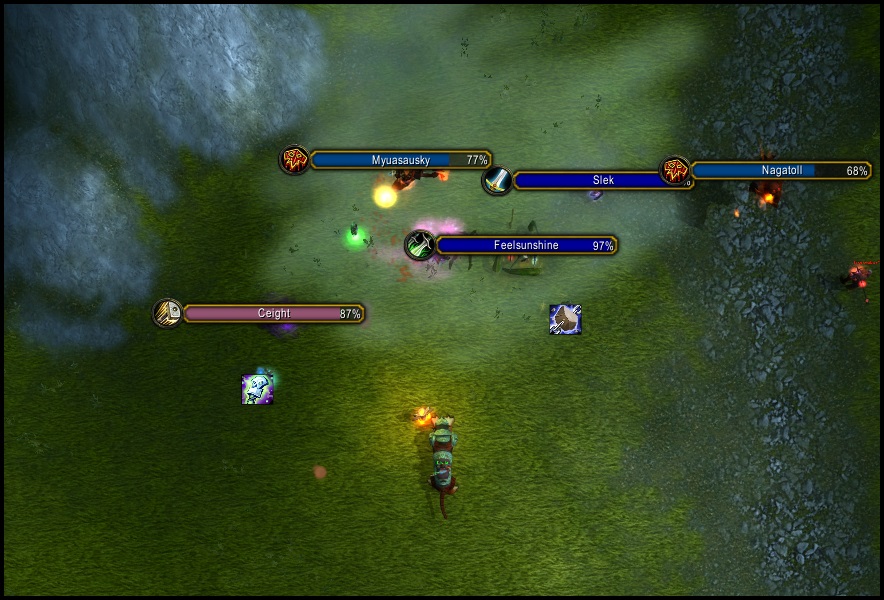
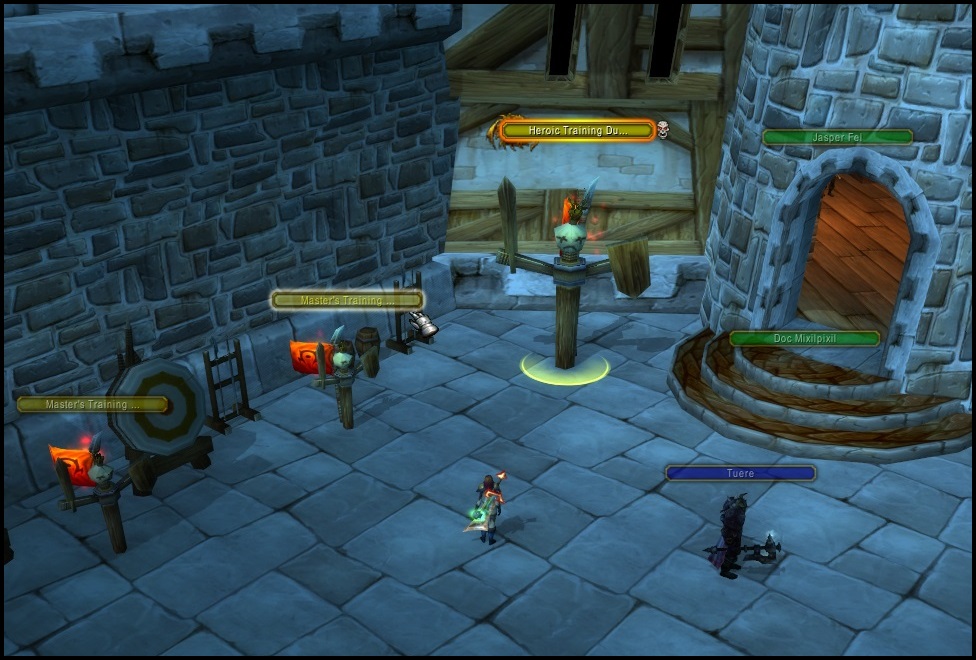
It preserves a Blizzlike appearance while adding functional and visual improvements.
Features
- Blizzlike nameplates with adjustable visual parameters.
- Nameplates drawing order based on distance to the camera.
- Adjusted Z-order spacing to prevent subregions from overlapping between nameplates.
- Custom glow for the target and mouseover nameplates.
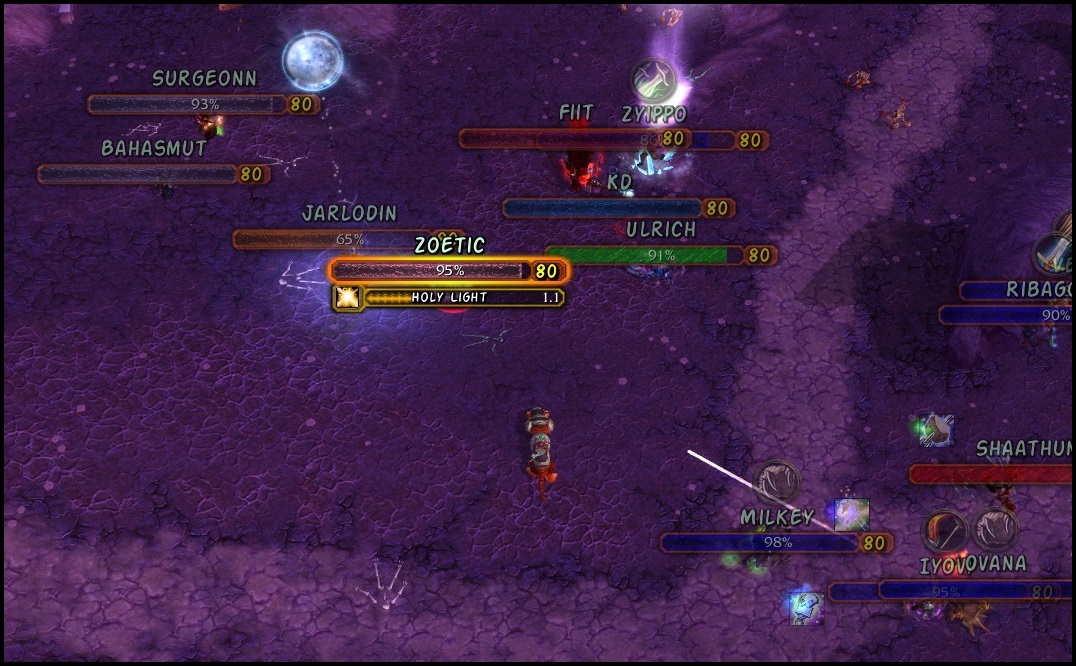
- Optional class icons inside PvE or PvP instances.
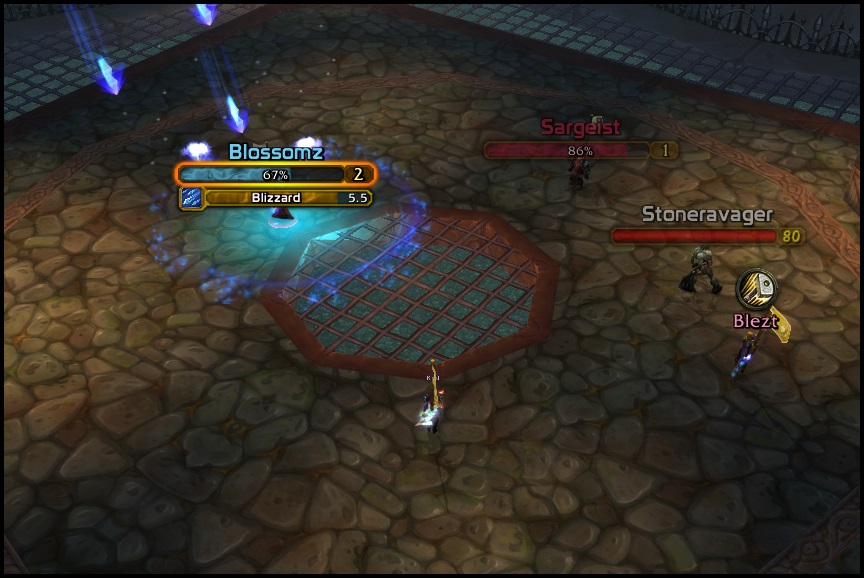
- Displays arenaID and partyID numbers as optional text in arenas.
- Integrated TotemPlates system with in-game configuration.
- Implemented a Blacklist to hide specific nameplates or replace them with icons.
- Optional "Barless Plates" that replace friendly nameplates with only the name and indicators.
- Added click-through behavior for blacklist and, optionally, friendly nameplates.
- Integrated optional system that simulates Retail's nameplate stacking.
- Added parameters to modify the nameplate's Box Selection Space (Clickbox).
Recommendations
- RefinedBlizzPlates may conflict with Gladdy’s Totem Plates module(it re-shows the original visual regions). Disable the module to ensure proper functionality.
- Retail-like stacking is replicated from Cheeta’s WeakAura. Disable it to avoid conflicts and duplication.
Screenshots
Links
- GitHub Repository
- Direct Download v1.9.6
P.S.: I'm not planning to add more features for now, just bug fixes.
-
 Member
[Addon] RefinedBlizzPlates
Edited: April 7, 2026
-
Member
Unfortunately, the addon seems to be broken. This (https://imgur.com/a/AeExDiN) is how it looks like. There's also no class icons.
-
Member
Hello, it looks like it’s conflicting with another addon (or aura). If you manage to identify which one, let me know and I’ll check it. The way to do it is by disabling your other addons one by one until you find the one causing the issue. If you use the “Addon Control Panel,” you can save a profile to easily reactivate your regular addons.
Edited: December 7, 2025
-
Member
This screenshot was taken on a completely fresh version, with no other addons.
-
Member
I see, that's weird, ngl. Maybe a custom MPQ patch? I just downloaded a completely clean client from Warmane's torrent and it's working fine, so I really don't know what could be happening. If you find out anything, I’d appreciate it if you let me know.
-
Rock n' Roll Racing Champion
Should enable the "display lua errors" in advanced interface settings just in case.
-
Member
Not working in 3440x1440 Wide Resolution
-
Member
It only works with the 1920x1080 resolution
-
Member
It seems that the size of the default nameplates, which I use as a reference, depends on the aspect ratio of the resolution. That’s an interesting finding, thank you. Would it be possible for you to upload a screenshot of your resolution options? Since I don’t have a 21:9 monitor, I can’t see those options myself.
-
Member
I don't have a 21:9 monitor myself, but I play in windowed mode at a lower resolution (because I play on a 55' TV), and it doesn't work at any other resolution than 1920x1080
-
Member
Ok, I’ll give it a detailed review as soon as I have some time. In my case, it works for me with all 16:9 resolutions, for example 1280×720, 1920×1080, etc.
-
Member
cant get castbars to work properly in arena? i can see warrior shatterthrow but nothing else
-
Member
I’d need more details, since it looks like something local (it’s a rather unusual issue and you’re the first user to report it). Maybe there’s a conflict with another addon? The way to detect that would be to disable addons one by one until you find the conflicting one. If you have the chance to test it in a skirmish, you could also try disabling all addons except RefinedBlizzPlates to confirm or rule out that possibility.
-
Member
I’ve already verified the cause of the issue. As I mentioned before, it’s due to the nameplate size depending on the screen resolution, and I basically structured many parts of the addon around a nameplate fixed size for a 16:9 resolution. The solution will take some time, since I’m currently short on time and it’s something I need to review carefully, as it involves several changes to the internal structure of the functions and anchor references.
-
Member
and fixed?

 Quote
Quote