Hello,
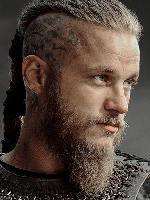
I had a problem with my windows and i reinstaled it, what leaded me to new download of WotLK.. After i downloaded it, charakters looks diferent (silly)... What i can do to get back old version? Because, i downloaded WotLK then some one in-game told me to download WotLK (old), but nothing changed.. Is there a pissibility to change it without redownloading it again?
-
 Member
Why charakters look diferent after a (re)download of WotLK?
-
Forum Veteran
you were using Wotlk with WoD/Legion model before.
That client has been removed from here: https://www.warmane.com/download (because it had too many issues)
Now both links are for "Wotlk (old)" (aka standard client)
Check this thread if you wanna get Wotlk with WoD/Legion model: http://forum.warmane.com/showthread.php?t=427089
-
Member
Do I have to delete some files or something? Cause i redownloaded the game 2 days ago, and still there is WoD/Legion models wich I dont want.. I like old version and i want old version, but redownload didnt helped me... So, what can i do to get old version?
-
-
Member
Yes, thank you for the link, all explained there, but... There is no Patch-EnUs-w.mpq files... There is only Patch.MPQ files.. 3 of them.. Patch, patch2 and patch3... I tried to delete them, but then game doesnt starts.. so i restored them, and all good again.. But problem stays...
-
Forum Veteran
If you have download the client recently, then it is already "old" (even if you picked "new" from download page)
IF you think you have WoD/Legion models and you wanna removed them:
1. Open WoW folder
2. Open the Data folder.
3. Delete the patch-w.mpq file.
4. Delete the patch-x.mpq file
5. Open the enUS folder.
6. Delete the patch-enUS-w.mpq file.
7. Delete the patch-enUS-x.mpq file

 Quote
Quote