I’ve added a configuration option to adjust the icon update interval. By default, it’s set to 0.1. You can lower it down to 0 if you want the animation to refresh every frame, but keep in mind this affects the entire icon update cycle (not just the clock texture) and may have a noticeable impact on performance, since each icon on every nameplate runs its own update loop.
I’ve also added an offset setting for the duration text, and an additional parameter to control from which remaining time decimals are shown (previously it was always shown below 10 seconds).
You can download the updated version from the same link.
-
 Member
Edited: October 15, 2025
-
Member
top man, let me test it :) thanks!
-
Member
ook, tested.
Previously I've been using "old clock" style, I like it more but ... it's meh when you are moving this is why I moved to the vertical clock style.
I found a bug where spells that don't really have duration still appear to have it, and show it on icon(even tho I have it set up "below"), with sometimes "backround" area visible below the spell where cooldown would normally be.
For example, frost presence, or battle standard or astral shift.
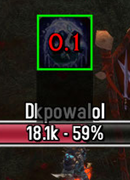
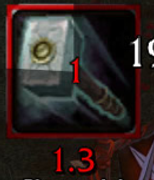
Also, is it still possible to have cooldown displayed below and in the icon. Below via PlateBuffs and in the icon via OmniCC addon, as is the case with "old clock style" ? Maybe as a selectable option.
thx
edit://
I still like the old style clock more .... well, anything we can do with that clock so it shows nicely as it should ? (when moving)Edited: October 16, 2025
-
Member
I’ve applied some fixes to the visual updates, you can test it now.
I also noticed an issue in the combatlog handling that was affecting auras without duration. Basically, the CLEU:SPELL_AURA_REMOVED was broken, for example, if a DK switched from Frost Presence to another presence while not having a valid unitID, the addon wouldn’t detect that change via combatlog to update the icon so it would stay visible until you direct scan it via target or mouseover. It also wasn’t correctly handling AURA_APPLIED events for durationless buffs.
I believe this should now be fixed, but it would be great if you could double-check those cases.
Regarding the Legacy Clock, unfortunately there’s nothing that can be done since it’s a frame type managed internally by the client (Lua has no control over it). Technically, it could be replicated using a sequence of textures, but since it’s not parameterizable, it would look ugly and be quite tedious to implement.
As for moving the OmniCC text position, that needs to be done directly within the addon itself. Keep in mind this change will affect all icons globally, since the addon hooks the same logic into one of the CooldownFrameTemplate methods. There’s no way to make it per-icon with the current addon.
If you want to adjust it, look for the Timer:New(cooldown) function inside cc.lua, and locate this line:
text:SetPoint('CENTER', 0, 0)
You just need to change the second 0 to move the text vertically.Edited: October 16, 2025
-
Member
Released v1.19.1 (r234)
Interrupts are now detected via the combat log and displayed as simulated debuffs (player units only)
-
Member
hi mate, really good!
I want to ask, I used this newest version, and it messed up all my previous "specific spells" settings ...
I think there is some issue with this version.
And somehow, pet spell duration and stack size is missing ?
I reverted back to previous version from 3 days ago, no issues there. I guess its the latest v1.19.1 that's causing the issueEdited: October 18, 2025
-
Member
Ah, I messed up! The issue was caused by a change in the saved variable property names.
Thanks a lot for reporting it! I’ve fixed it, so your previous “specific spells” settings should now migrate correctly and be preserved. You can re-download.
Just to note, the duration and stack text sizes are now calculated automatically based on the icon scale and the global text size defined in 'Style Settings', keeping the text proportionate to the icon and simplifying configuration.
-
Rock n' Roll Racing Champion
Solid as always.
My only gripe is with spells that have charges, like in this case Sweeping Strikes:

Is this caused by some other addon?
-
Member
Seems like the text size is just set quite high.
What values are you using for “Duration Text Size” and “Stack Text Size”?

-
Rock n' Roll Racing Champion
Thank you, obviously I didn't look hard enough.
As a suggestion: when you add a new specific spell, why not open it immediately instead of having the user find it on the list to configure it.
-
Member
That's actually a good point. I've added it.
-
Member
hi, ill be testing this weekend, was a bit busy :)
Also, interrupts, how is the duration calculated ? like I just tried to shield bash someone, should show 6s but it was showing less, around 4.2s or so
-
Member
For practicality, the duration includes a 30% reduction. It’s not always the case, but it represents the most unfavorable scenario to be on the safe side.
You can adjust that value in the SpellList.lua file, it’s located near the end of the file.
I might add a configurable parameter in the UI to adjust that 30%.
-
Member
Aha i see.
Yes please add configuration of that. Also let us disable interrupts altogether as an option.
Also how can we approach spells with the same name?
For example Beserking
Its good to track both racial and battleground buff. Atm my solution is not to have an id just check the name.
Is itnpoasibke to have the same name for 2 spells with different ids? It wasnt possible before with original platebuffs addon.
-
Member
I added that config. You can also disable Interrupts on the "Display Conditions" tab.
About the Berserking. It’s not possible with the current structure of the addon.
As far as I understand, it’s designed to use the spell name as the primary key, mainly to handle the more common case of spells with multiple ranks.
In other words, to fully solve the situation you described it would require an ID-based tracking as primary system, which is possible, but it would mean listing every spell ID for each rank variation, making it more tedious for the user than simply tracking by name.

 Quote
Quote
