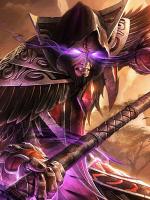
I download new wow client from this website and my rogue looks like ******
http://prntscr.com/7z6eoa
http://prntscr.com/7z6f7z
-
Member
WTF with Warmane WoW client
-
 Member
apart from the hairstyle which I assume is missing and missing feets/lower legs, thats just how undeads look with the new WoD models. they are working on fixing the rest.
-
Member
They will make models from WoD ? Why ? I like old models.
-
Member
well the WoD models is the only purpose of the new wotlk client, if you want the old models you should've downloded the old wotlk client.
-
Member
Community wanted it, and so we made it possible. Even though our WoD customization is not over yet, there is already WoD character customization in our WOTLK client.
-
Member
Give me link pls for old WoW 3.3.5 client
-
Member
You must go to the Download button at the top of the web page.
When you download, make sure you download "Wrath of the Lich King (old)"
:)
-
Member
I have download WoW from this website =/
-
Member
I understand that. However, you MUST download the OLD Client. "Wrath of the Lich King (old)"
The old client has the old player models and textures.
Here is an example.

-
Member
Ow i see right now the old WotLk. Thx
-
Member
No problem. Glad I could help. :)
-
Member
I have new problem with new client =)
http://i.imgur.com/cfjPn2s.png
-
Member
Check your realmlist.wtf file.
-
Member
I have so http://i.imgur.com/p2eSAad.png
-
Member
That's not how your data folder should look like.